X (Twitter) Carousel Maker for Posts and Ad Cards
Design on-brand image cards for X multi-image posts and carousel ads — with AI or by hand in the freeform editor — then export them to post on X or upload to X Ads Manager.

84,000+ creators design social posts with PostNitro.
Design Your X Carousel1:1 cards at 1080×1080 | Your brand kit on every card | PNG export
What an X Carousel Can Do
X shows up to four images in one post, and its carousel ads swipe through two to six cards, each with its own headline and link set in Ads Manager. PostNitro designs the cards; X does the posting.
Multi-Image Posts
- Up to 4 images in one post
- A mini-thread in pictures
- Screenshots, tips and before-and-afters
Carousel Ads
- 2 to 6 swipeable cards
- A headline and link per card, set in X Ads Manager
- Product lines and multi-offer promotions
Perfect For
- Product catalogs
- Multi-offer promotions
- Feature showcases
- Brand storytelling
What Makes X Cards Work
One Idea per Card
Short, bold text that reads at a glance in a fast feed.
Consistent Branding
Your fonts, colours and logo on every card, so the set reads as one.
Square by Default
1:1 at 1080 × 1080 fits both multi-image posts and carousel ad cards.
A Clear Next Step
End on a card that says what to do; the link itself is added in X Ads Manager.
Design X (Twitter) Cards in Minutes
Sized for X
Cards designed for the formats X uses.
- Square Cards1080 × 1080 (1:1), the format X carousel ads and multi-image posts share.
- As Many Cards as You NeedUp to 20 slides per design on Team+ (5 on Free, 8 on Starter, 15 on Creator+); use 2 to 6 for an ad, up to 4 for a post.
- PNG ExportDownload every card as a separate PNG, ready to upload.

Design Tools
The same editor and brand kits as every PostNitro post.
- Brand KitsConsistent fonts, colours and logo across all cards.
- Templates100+ templates, restyled by your brand kit.
- Freeform EditorDrag, resize and layer anything on a card.
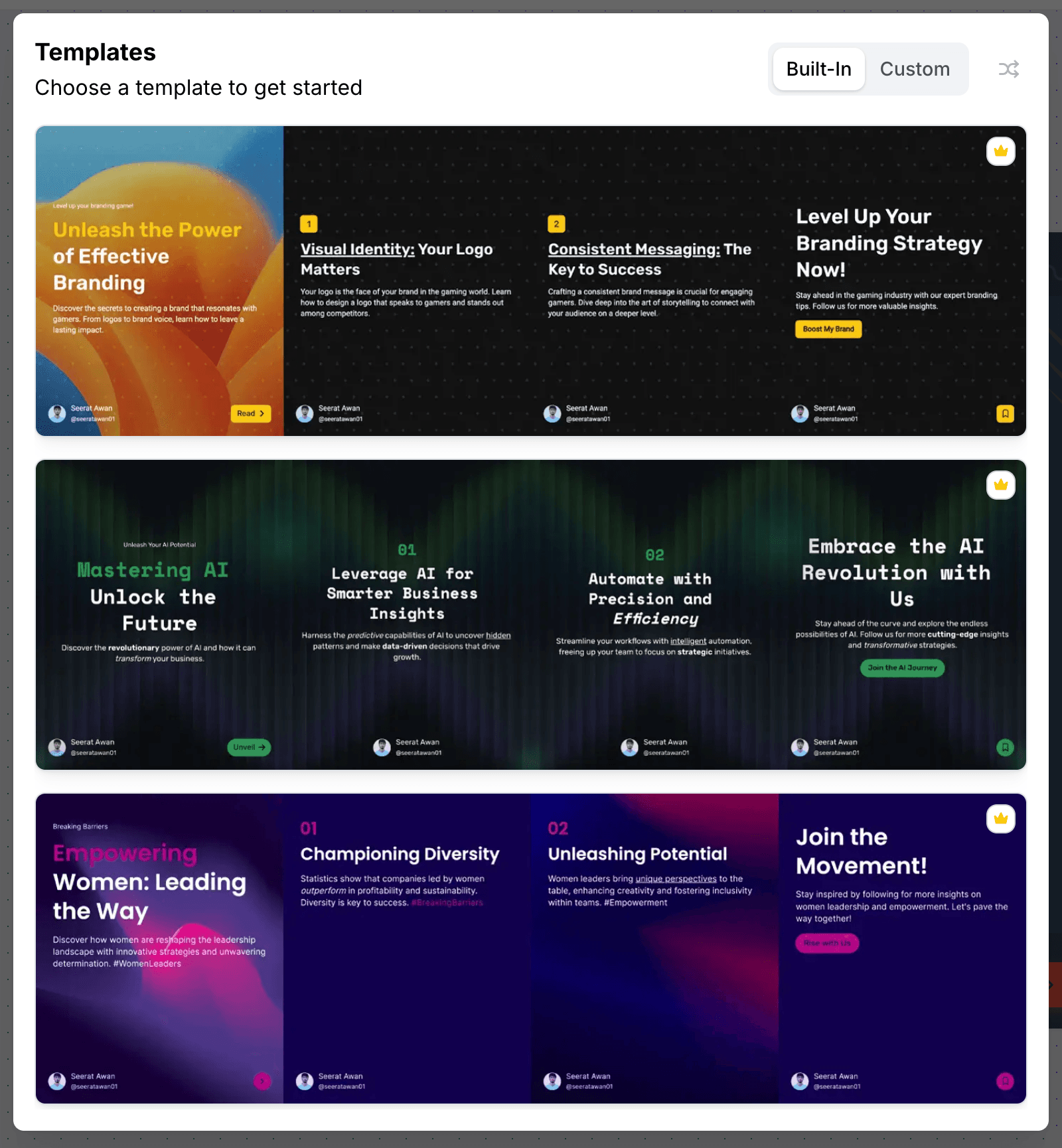
AI-Assisted Creation
Let AI draft the cards, then finish them by hand.
- From a Topic or a ThreadTurn a topic, an article URL or an X thread into a set of cards.
- Copy on the CardsAI writes the short headline text for each card.
- Layouts per CardInfographic columns, counters and cycles where a sentence will not carry it.

Teams
Work on the cards together.
- WorkspacesShare templates and brand kits across your team.
- Asset StorageKeep your images and designs in one place.
- Reuse EverywherePublish the same deck natively to LinkedIn, Instagram, TikTok, Threads, Facebook and Pinterest.
X (Twitter) Card Specs
| Multi-image post | Up to 4 images in one post |
|---|---|
| Carousel ad | 2 to 6 cards; each card’s headline and destination URL are set in X Ads Manager |
| Size in PostNitro | 1080 × 1080 px (1:1). PostNitro has no 1.91:1 canvas |
| Slides per design in PostNitro | 5 on Free, 8 on Starter, 15 on Creator+, 20 on Team+ |
| Publishing | Export only. PostNitro does not publish to X: download the PNGs and post them, or upload them to X Ads Manager |
X (Twitter) Carousel FAQ
The editor
A design tool built for one shape
Not a general canvas with a carousel preset bolted on. The editor is built around the 4:5 slide sequence — templates, curated font pairings, brand-kit colours and your own images, with the platform safe zones already accounted for.
From a blank slide to a scheduled post without leaving the editor.
Open the editor